

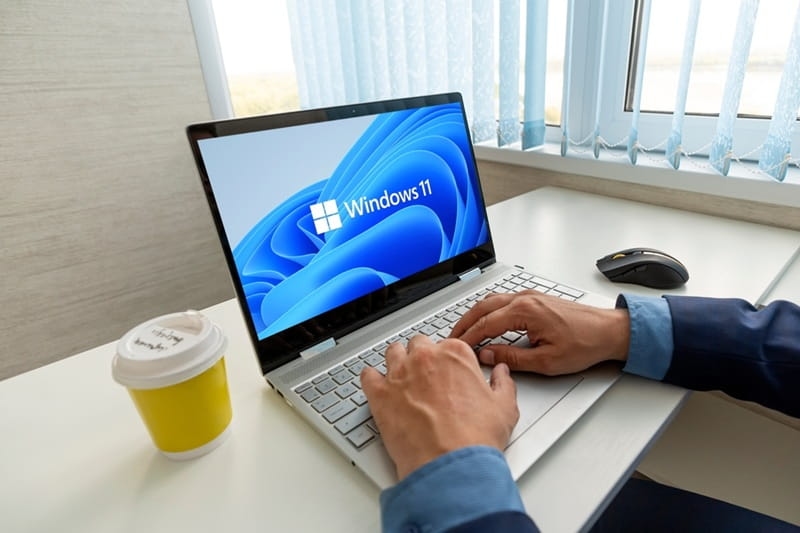
You can feel it the moment you sit down at a modern PC. Windows 11 no longer behaves like a static operating system that waits for commands. It reacts, suggests, remembers, and sometimes even nudges you when you forget something. That quiet shift is the real story of 2026. AI is no longer a flashy extra buried in settings. It is woven into daily workflows, gaming sessions, and even those late-night browsing moments when you are half-focused and half-tired. This guide walks through the Windows 11 AI features that actually matter right now, why they feel different, and how they subtly change the way your PC works for you.
Before getting specific, it helps to step back for a second. This section sets the stage for how Windows 11 AI features quietly shape the entire system, not just one app or button.
Windows used to feel like a toolbox. You opened it, grabbed what you needed, and closed it again. In 2026, it feels closer to a helpful coworker. AI runs in the background, learning your habits, recognizing patterns, and smoothing out rough edges. You might not even notice it at first, but things take fewer clicks and less mental energy.
Part of the reason this works is timing. Hardware finally caught up. NPUs in modern laptops handle AI tasks locally, which means faster responses and fewer privacy worries. That local processing gives Windows a calmer, more responsive personality instead of the laggy assistants we all remember from years ago.
This is where most people first notice the change. Copilot Windows 11 is not just another chatbot stuck in a panel. It acts more like a control center with conversational skills.
You can ask Copilot to summarize a document, adjust system settings, or even help plan your day. The magic is not that it can do these things. It is that it understands context. If you are working on a spreadsheet, it knows.
You know what? Sometimes it gets things slightly wrong. And that is oddly comforting. It asks clarifying questions, adjusts its suggestions, and learns from corrections. That back and forth makes it feel less robotic and more like collaboration, especially during long work sessions.
Read more: Quantum Computing’s Impact on Data Analysis Explained
Screens are crowded. Between tabs, apps, and notifications, visual overload is real. This is where Windows 11 Copilot Vision steps in.
Copilot Vision can analyze what is on your screen and help explain it. Stuck on a chart? It can break it down in plain language. Confused by a settings page? It highlights what matters. This is not about replacing learning. It is about removing friction when you are already busy.
For users with visual or cognitive challenges, this feature quietly changes the game. It describes elements, suggests actions, and simplifies layouts without making the experience feel clinical or restrictive. That balance matters, especially for long-term comfort.
This feature sparked debate, and honestly, that is fair. The Windows Recall feature is powerful, and power always raises questions.
Recall lets you search your past activity visually. You can describe what you remember, like a website with a blue header or a document you edited last Tuesday, and Windows pulls it up. It feels like scrolling through your own digital memory.
Microsoft added granular controls for a reason. You decide what gets saved, what gets excluded, and when Recall pauses. Used thoughtfully, it becomes a safety net rather than a surveillance tool. The key is customization. Once tuned, it feels reassuring instead of intrusive.
Don't miss: Comparison of Top Services for Cloud Storage Solutions
Beyond the headline features, there are dozens of smaller AI tools in Windows 11 that quietly boost productivity.
From Notepad suggestions to system-wide text rewriting, AI helps clean up rough drafts and awkward phrasing. It does not replace your voice. It smooths the edges.
Basic image edits, background cleanup, and quick enhancements happen right inside Windows. You do not always need to open a full creative suite. For casual creators and busy professionals, speed matters more than perfection.
Gaming on PC has always been about control and customization. Gaming Copilot Windows 11 builds on that culture instead of fighting it.
Gaming Copilot can suggest settings tweaks, explain in-game mechanics, or help troubleshoot performance issues without forcing you to alt-tab endlessly. It respects the flow of play, which gamers care deeply about.
No, it does not play for you. But it can analyze performance patterns, suggest practice areas, and point out habits you might not notice. It is like having a coach who watches quietly and speaks only when useful.
Here is the thing. Not everyone uses every AI feature every day. And that is fine. The real strength of Windows 11 in 2026 is choice. You can lean heavily into automation or keep things simple. Either way, the system adapts.
There is also a seasonal rhythm to it. During busy work months, productivity tools shine. During holidays or summer downtime, creative and gaming features take center stage. Windows no longer feels stuck in one mode.
Also read: How Open-Source Software is Changing the Tech Industry
Windows 11 in 2026 feels less like software and more like an environment that grows with you. The Windows 11 AI features discussed here are not about flashy demos or tech bragging rights. They are about saving mental energy, reducing friction, and making your PC feel more responsive to real human needs. Whether it is Copilot Windows 11 helping you untangle a task, Windows Recall feature rescuing a forgotten moment, or Gaming Copilot Windows 11 offering a quiet performance boost, the common thread is subtle support. And honestly, that is the kind of AI most of us actually want.
No. Most features are optional and customizable. You can enable what helps and ignore the rest without breaking the system.
Yes, if configured properly. You control what is saved, excluded, or paused, which helps maintain privacy and trust.
Some functions work locally, while others need an internet connection. Core system assistance often remains available offline.
Absolutely. Even casual players benefit from performance tips and quick help without deep technical knowledge.
This content was created by AI