

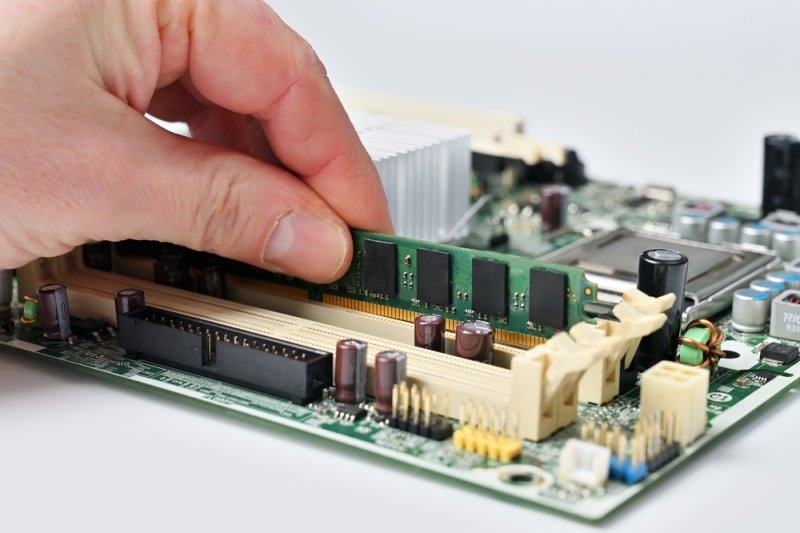
Stop buying expensive laptops without checking the memory specs first. You can drop thousands of dollars on a massive graphics card and a top-tier processor, but if you starve the motherboard of computer RAM, the entire system will completely choke under pressure. People blindly trust the sales tag, assuming a basic eight-gigabyte setup will magically handle heavy 4K video editing, massive gaming environments, and aggressive browser multitasking. It will not. When your system runs out of physical memory, it violently dumps the overflow onto your storage drive, instantly crippling your speed and causing brutal software crashes.
Must Read: 12 Leading Public Cloud Storage Services to Consider in 2026
Think of this hardware as your processor’s immediate physical workbench. It holds the exact data your computer is actively using right this second. It is violently fast but completely temporary. The second you cut the power, this workspace instantly wipes itself clean, forcing the system to reload everything upon reboot.
If your workspace is too small, the processor cannot line up enough tasks. It forces the system to constantly swap active data back and forth from your heavy storage drive. This brutal transfer process creates massive lag, freezing your screen and destroying your ability to multitask efficiently.
Top Pick: Find the Best Accounting Software for Your Business
Stop guessing at checkout. You must match your physical memory capacity directly to your daily software load to avoid completely choking your motherboard.
Do not accept anything less for a primary machine. You need this exact capacity just to keep heavy web browsers, video calls, and standard office software running without violently crashing the operating system.
If you run heavy AAA games, stream live video, or cut 4K footage, this is your mandatory floor. It prevents the system from aggressively paging data to your SSD when you leave multiple creative apps open simultaneously.
This is not for casual users. You lock down this massive capacity only if you run intensive 3D rendering environments, heavy virtual machines, or local AI models that require massive datasets held entirely in active memory.
You only buy this if your daily workflow involves massive 8K video compositing or running enterprise-level server architecture. For a standard user, this level of capacity is a complete waste of raw cash.
Do not just buy the cheapest memory sticks available. The generation and architecture dictate exactly how fast data physically moves through your system.
This older architecture is phasing out. It is cheap and runs basic office machines fine, but it lacks the raw bandwidth to feed modern high-end processors without choking.
This is the current mandatory standard for tasking. It delivers increased bandwidth and built-in power management, allowing the system to push data without overheating the motherboard.
Found in modern ultrathin laptops and premium mobile devices. It is brutally fast and saves massive battery life, but it is physically soldered directly to the board, eliminating any chance of future upgrades.
Error-correcting code memory is built for workstations and servers. It detects and fixes internal data corruption in real-time, preventing massive system crashes during days-long rendering projects.
Do not confuse these two hardware components. Upgrading a massive solid-state drive will not magically make your heavy software run faster if your active memory is already completely maxed out. Your heavy storage drive acts as the permanent vault, holding your massive files when the power is off. Your active memory acts as the volatile frontline. If you starve the frontline, the processor has to dig into the vault every single time you switch tabs, creating brutal, system-wide latency. You must balance both.
Stop treating your memory capacity as an afterthought. Upgrading your graphics and processor while neglecting your computer RAM is a massive tactical error that instantly bottlenecks your entire rig. The modern digital environment is brutally heavy. You cannot survive on old baseline specs when heavy web browsers and creative applications aggressively consume active memory the second you boot up.
Raw capacity keeps the game running, but the physical speed frequency dictates how fast the processor can load heavy textures and render massive open worlds. Faster memory directly reduces brutal frame drops and micro-stuttering during intense graphical spikes.
Manufacturers aggressively solder memory directly to the motherboard to shave physical millimeters off the laptop chassis and improve raw battery efficiency. This destroys your ability to upgrade, forcing you to lock down your maximum capacity at checkout.
The motherboard will aggressively force both sticks to run at the slowest module's speed. In brutal cases, the mismatched timings cause massive system instability, leading directly to blue screens and random hard crashes.
Running artificial intelligence locally requires the system to hold massive language models entirely in active memory for instant access. If the model exceeds the physical capacity, it crashes instantly or grinds to a completely unusable halt.
Yes. If you run a basic, older version of a 32-bit operating system, it is physically hardcoded to ignore anything over 4 GB, completely wasting the high-end hardware you installed on the motherboard.
This content was created by AI